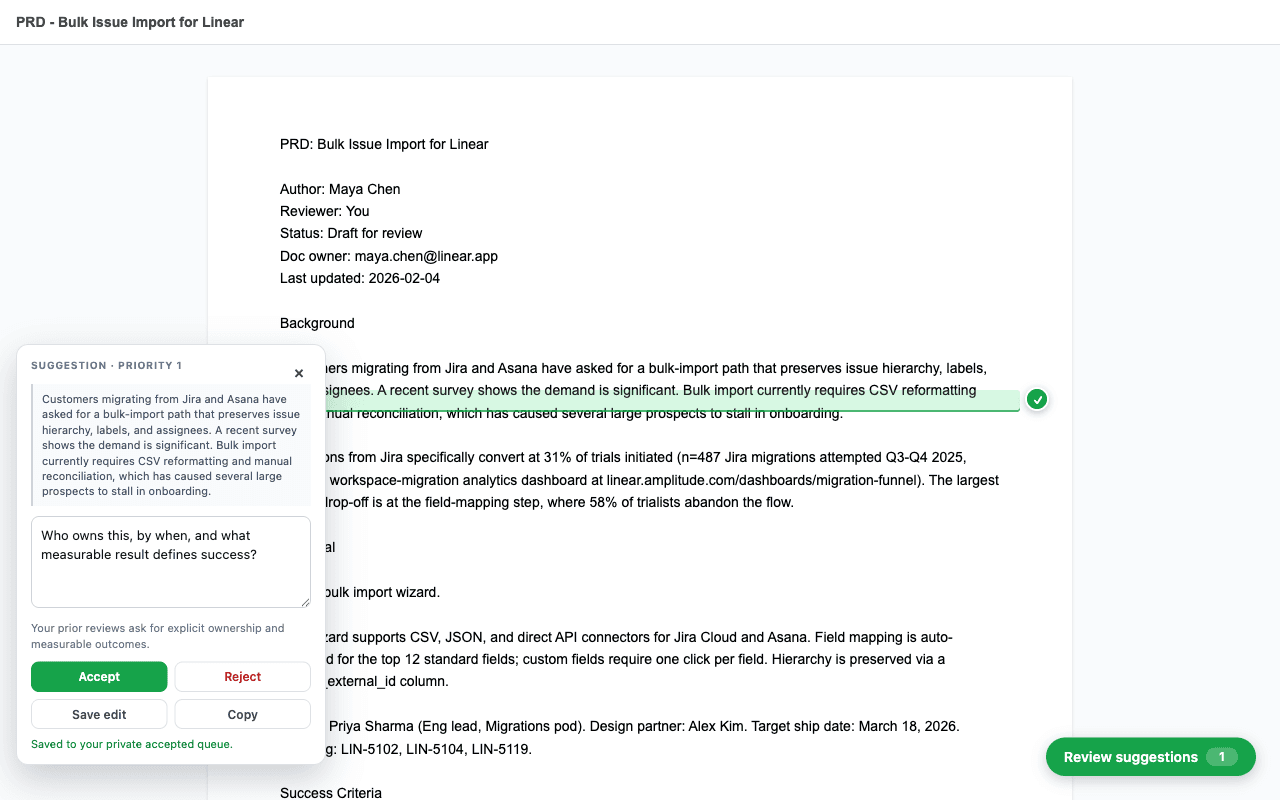
Chrome extension for Google Docs reviewers
First Pass writes the comment you were about to leave.
It learns from your past Google Docs feedback, finds the same patterns in new drafts, and gives you private suggestions to edit, accept, reject, or copy on your terms.
Built for the review loop.
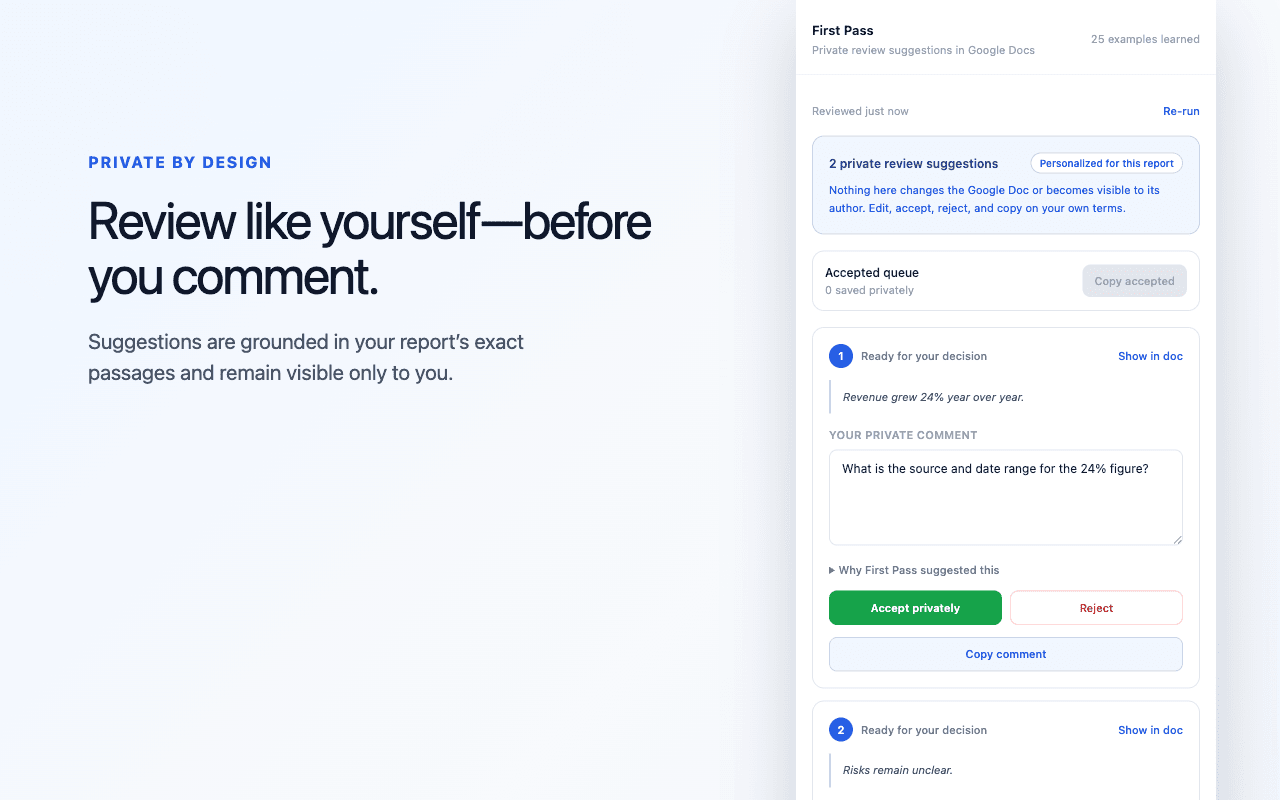
First Pass stays inside Chrome while you work in Google Docs. It does not post or change a Google Doc. It gives you grounded private comments, and you stay in control of anything you later share.
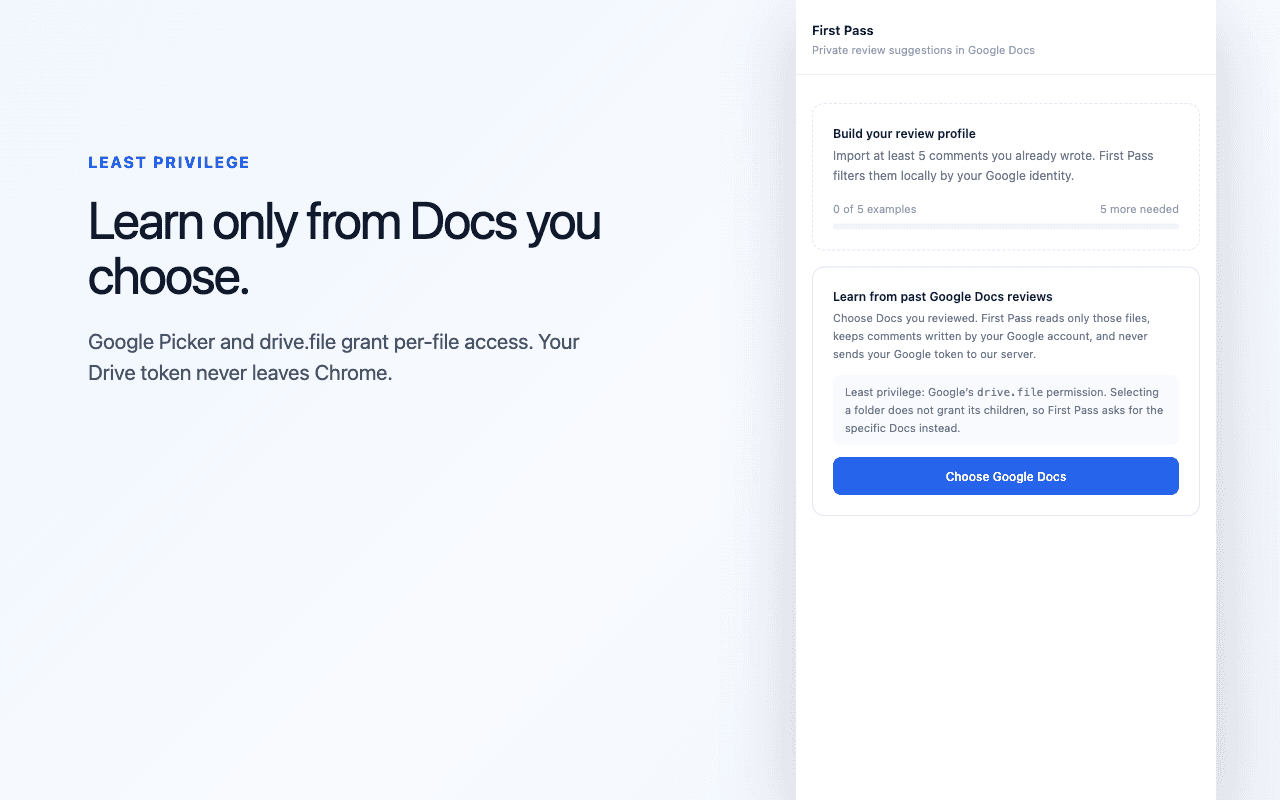
Import selected docs
Pick Google Docs you reviewed before.
Learn your style
First Pass turns past comments into reusable feedback patterns.
Review privately
Open a new doc and triage anchored suggestions only you can see.
What data it touches
First Pass uses your Google account email, comments from Docs you select, and the text of the document you ask it to review. It sends review inputs to the First Pass API to generate suggestions; your Google Drive access token remains in browser memory and is never sent to the First Pass API or the `getbossbot.com` server.
- Drive scope: `drive.file` only.
- Posting: First Pass never posts comments or edits the Doc.
- Picker boundary: privileged extension code is bundled; Google Picker runs in an isolated web frame with no extension APIs.
- Support: support@getbossbot.com